Lets all play chess.
Posted: February 23rd, 2014, 12:18 pm
Alright so here's how this game goes. Looking at the chess board, there is algebraic notation:

So when you want to record a chess game, you basically record the movements of the pieces. Each piece type (other than pawns) is identified by an uppercase letter, usually the first letter in the name of the piece in whatever language is spoken by the player recording. English-speaking players use the letter K for king, Q for queen, R for rook, B for bishop, and N for knight (since K is already used). Also remember that pawns (when you write down the move) are just labeled as the spot to which they move. So here is an example:
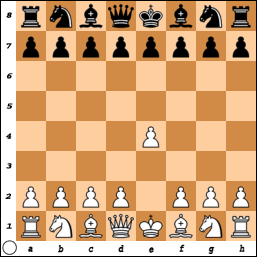
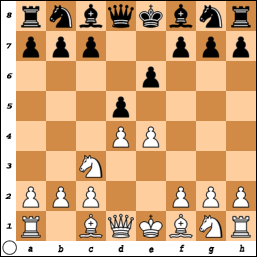
You have the chess board set up:

I am going to move the pawn to D5. In which case I would post this:
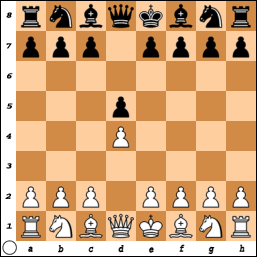
Here is what it would look like on a chess board:
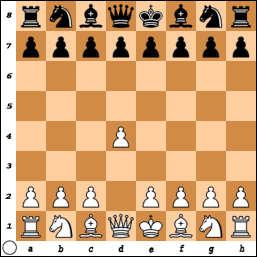
The pawn has just moved two spaces above. So thus we can play a game of chess by moving pieces using algebraic notation. More info here: http://en.wikipedia.org/wiki/Algebraic_notation_(chess)
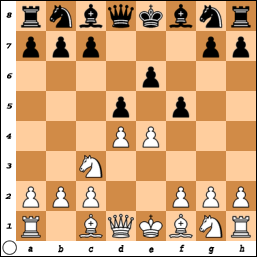
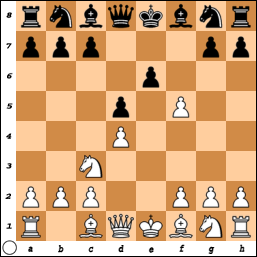
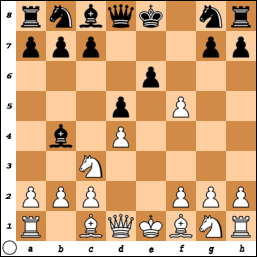
So I will begin the chess match. Anyone is allowed to post and move as long as they are switching between Black and White, and not moving twice as one color. The person must post the algebraic notation for it (it's not that hard ) and play the game fairly. Hopefully you know how to play chess This is just to see how this goes. Please go to this website here:
By clicking on the board, it takes you to the website where you can edit the board.
-Mandalor
So when you want to record a chess game, you basically record the movements of the pieces. Each piece type (other than pawns) is identified by an uppercase letter, usually the first letter in the name of the piece in whatever language is spoken by the player recording. English-speaking players use the letter K for king, Q for queen, R for rook, B for bishop, and N for knight (since K is already used). Also remember that pawns (when you write down the move) are just labeled as the spot to which they move. So here is an example:
You have the chess board set up:
I am going to move the pawn to D5. In which case I would post this:
d2 d4
Here is what it would look like on a chess board:
The pawn has just moved two spaces above. So thus we can play a game of chess by moving pieces using algebraic notation. More info here: http://en.wikipedia.org/wiki/Algebraic_notation_(chess)
So I will begin the chess match. Anyone is allowed to post and move as long as they are switching between Black and White, and not moving twice as one color. The person must post the algebraic notation for it (it's not that hard
) and play the game fairly. Hopefully you know how to play chess This is just to see how this goes. Please go to this website here:By clicking on the board, it takes you to the website where you can edit the board.
Steps Provided by Xothicus :thunbsup Took me so long to realize >.<Step #1: From there you make your move
Step #2: Click the "Generate Diagram" button
Step #3: Copy "With link back to position:" url just below the generated board diagram. It'll have a long link that will look like "url=http://www.chessvideos.tv/chess-diagram ... P/R1BQKBNR]img]http://www.chessvideos.tv/bimg/rp2gubl8dg7.png[/img[/url"
Step #4: Paste that link as your post. i'll look appear as Image which will have a click link to the active board. Then The next player can repeat the steps, continuously evolving the board
-Mandalor